Run your shop from the phone or laptop you already own.
The Inventory Link tracks stock, records every sale, and prints receipts — so you don't need to rent a point of sale terminal and a separate till just to run your shop.
- Scan barcodes with any USB scanner or phone camera
- Import multiple products using CSV and Excel files
- Track stock levels and value in real time
- Manage multiple team members under a single account
- Generate and download receipts, quotations, and cash-out reports
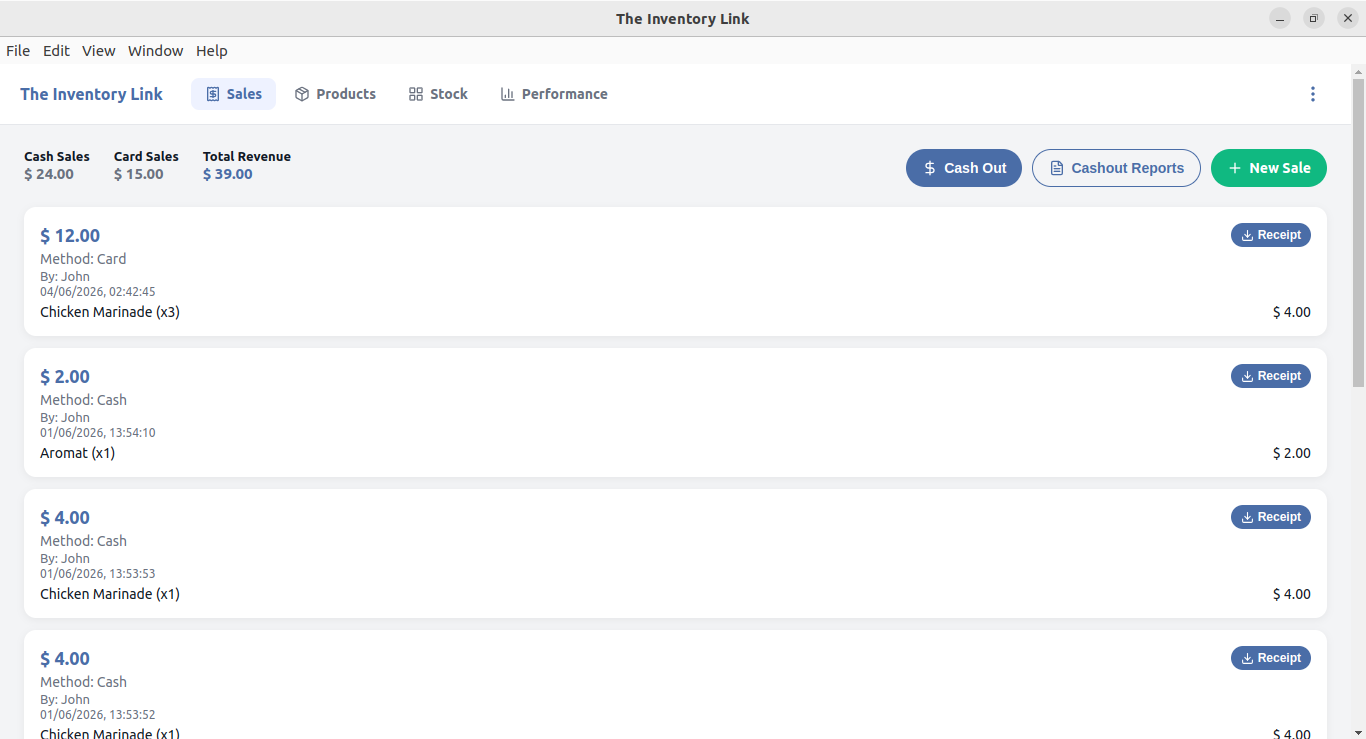
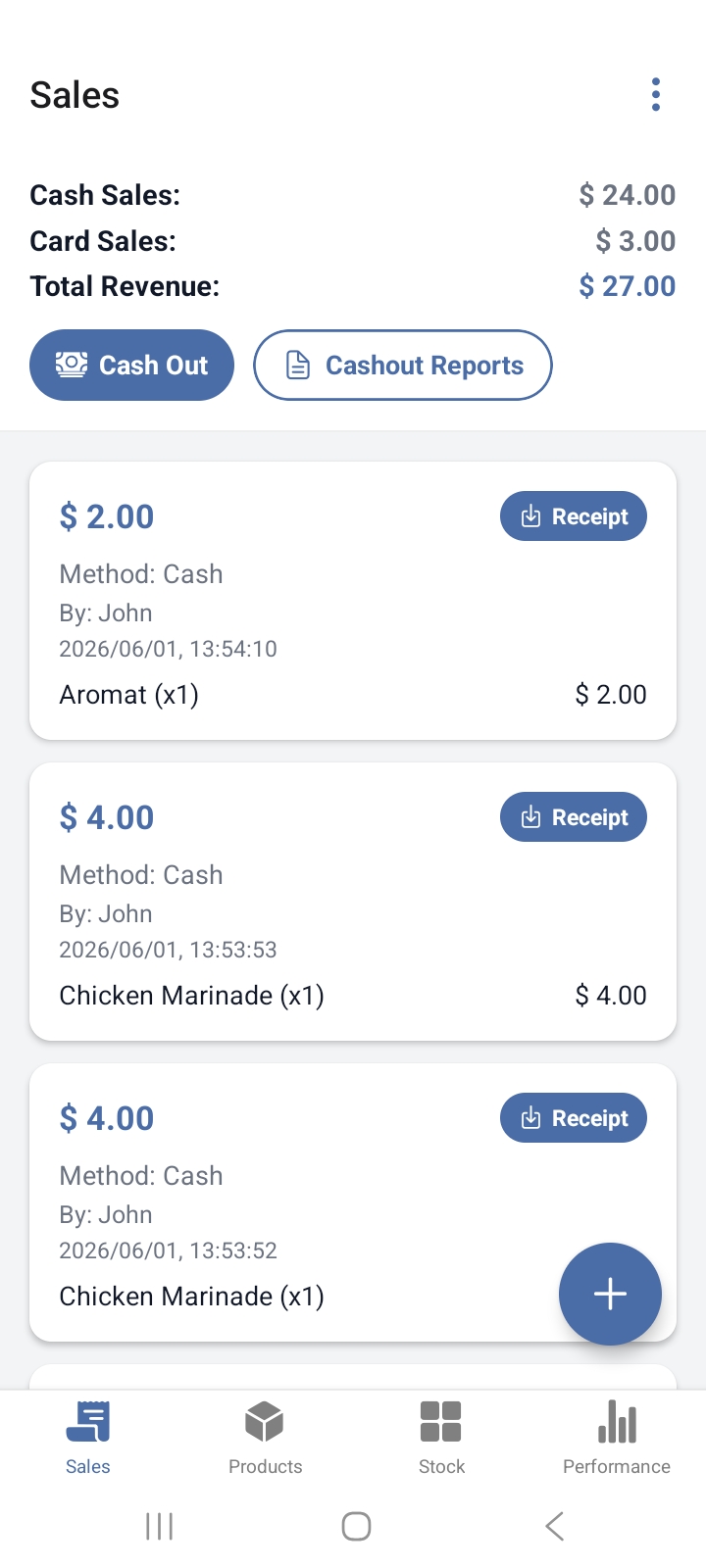
Everything a till and a stock book used to do, in one app.
Record every sale, cash or card
Log a sale in a few taps, split cleanly by payment method, and hand over a quotation or a receipt from your own printer.
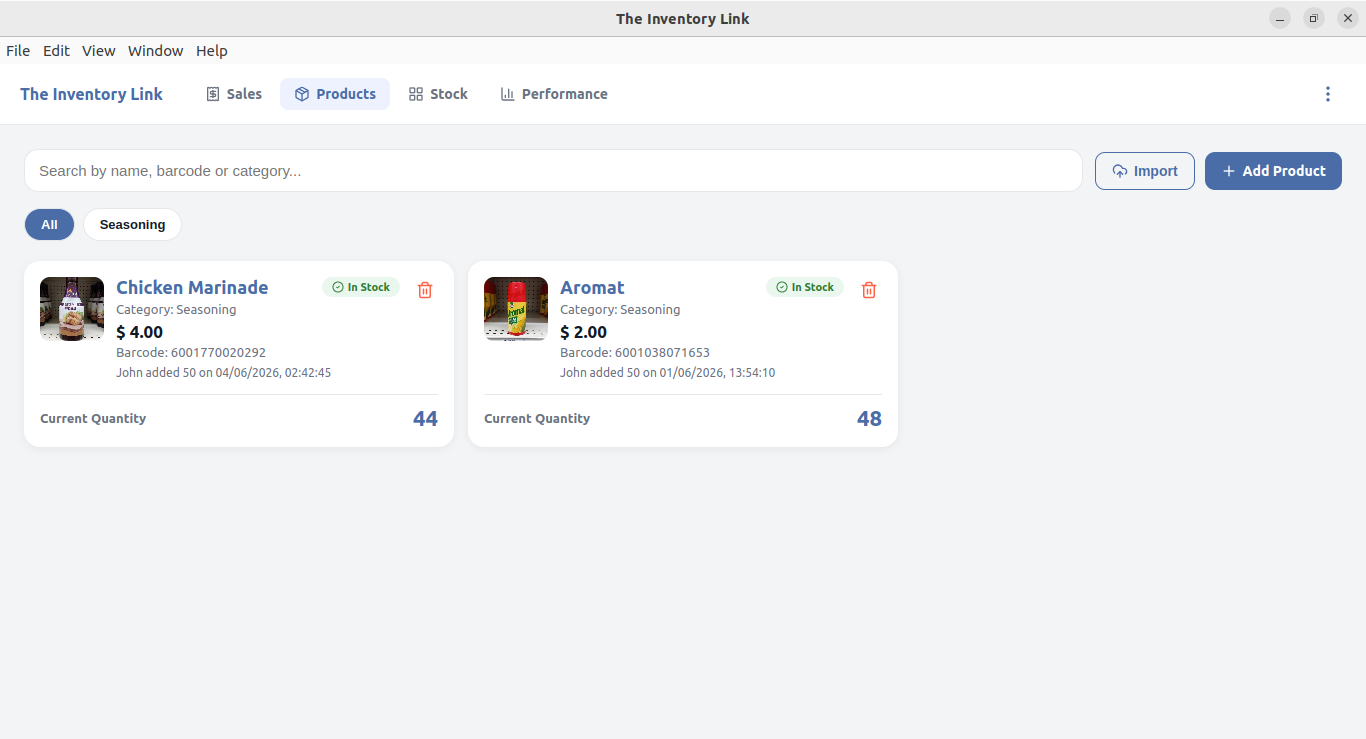
Know what's actually on the shelf
Add products with a barcode scan, set prices and categories, and keep a photo so your staff can find things fast.
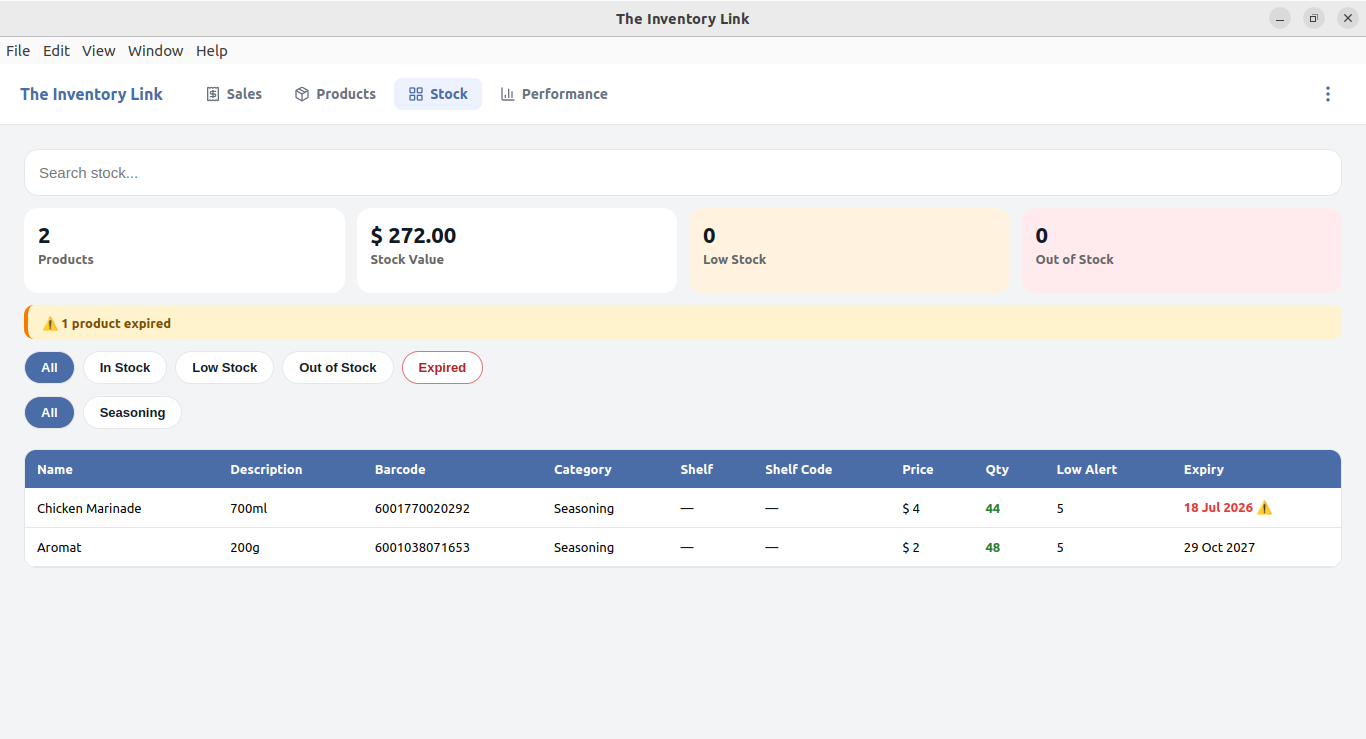
Catch low stock and expiry early
See total stock value and get flagged the moment something runs low or a product is past its expiry date.
You already own the hardware.
A POS terminal means monthly rental, per-transaction fees, and a device that only does one job. The Inventory Link runs on the phone in your pocket or the laptop on your counter — and a plug-in USB barcode scanner works with it immediately, no setup required.